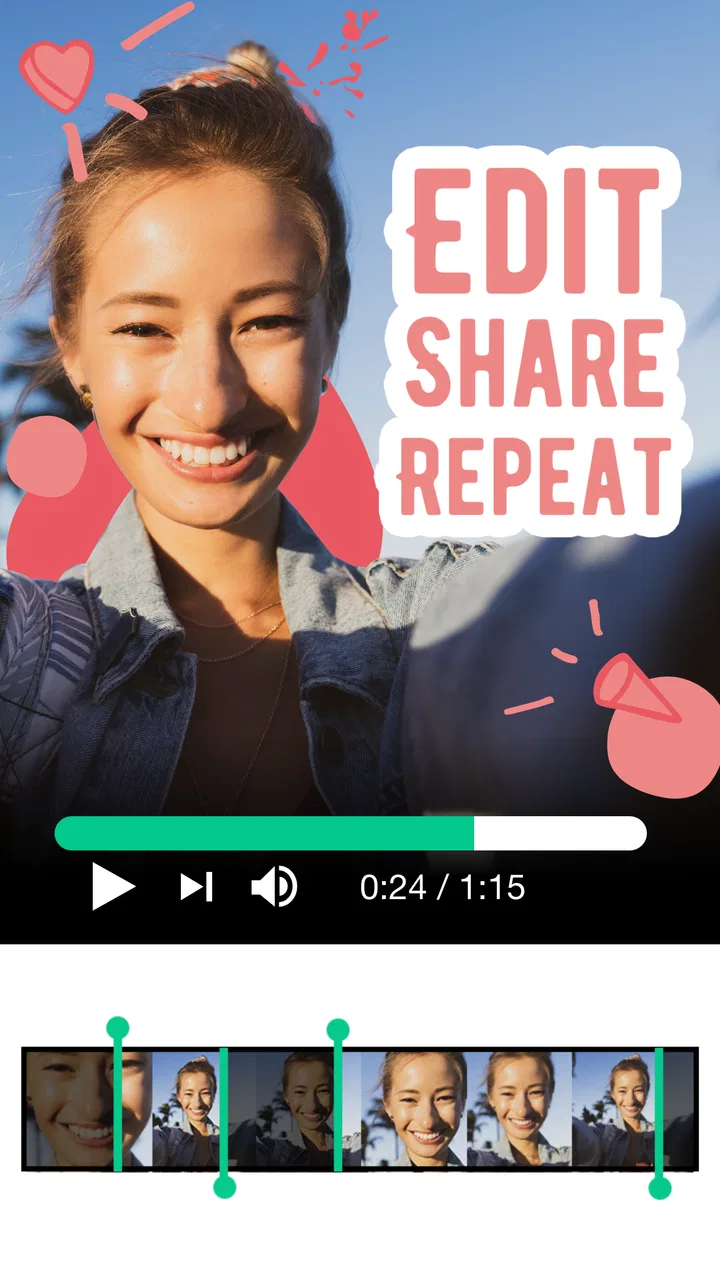
Magisto - Video Editor & Music
- 4.5
- Rating
- 50.00M
- Installs
- Free
- Price

 Analysis by App-foxy
I tried Magisto as the kind of mobile editor you open when you have a handful of clips, a clear occasion, and very little patience for building a timeline from scratch. It is a video-making app from Magisto by Vimeo, positioned in the video players and editors category, and its appeal is easy to understand: it helps turn ordinary phone footage into a more finished-looking piece without asking me to become a full-time editor first.
My experience was best when I treated it as a fast creative assistant rather than a complete replacement for desktop editing software. I could begin with a simple idea, gather the relevant photos and clips, choose a visual direction, and let the app handle much of the assembly. That makes it especially useful for personal recaps, quick social posts, small business updates, and family videos where speed matters more than microscopic control.
Magisto is strongest when the goal is a presentable result quickly, not absolute control over every frame. That distinction matters before you start. If you want to design every cut, layer, transition, title, and audio change yourself, a traditional timeline editor will usually suit you better. If you want help shaping scattered phone media into something shareable, this app has a much more approachable starting point.
You May Also Like

 Blood Strike: 2.5 Anniversary
Blood Strike’s Loadouts Turn Every Drop Into a Tactical Gamble
A close look at Blood Strike’s custom loadouts: how fast access to signature weapons reshapes its battle royale rhythm, rewards preparation, and narrows the gap between fights.

 Pandora - Music & Podcasts
Pandora’s Music Is Easy to Start, but Harder to Recover
Pandora’s strength is its low-effort path from a seed to a station. Its weak spot is how much confidence it asks you to place in connection, setup, and quiet recovery.

 8 Ball Pool
 Is Built on Rivalries, Rematches, and Routine
A close look at the rivalries, rematches, shared routines, and unanswered safety questions that turn a quick pool match into a persistent mobile community.

 Samsung Music
’s Quiet Strength Is Playing What You Already Own
Its reach comes less from spectacle than from dependable access to a personal library. That simplicity is both the app’s strongest retention engine and its ceiling.

 AccuWeather: Weather Radar
AccuWeather Review: A Quick, Clear Forecast for Everyday Decisions
For everyday plans, the best forecast is the one you can understand quickly. AccuWeather makes rain timing, radar, and local conditions easy to act on, with a few trade-offs.

 Hill Climb Racing
Why Hill Climb Racing Still Turns Crashes Into One More Run
A tiny car, a bumpy hill and one more upgrade: Hill Climb Racing keeps resurfacing because its simple chaos makes every near-miss feel personal.
More From Our News Desk



Starting with an idea instead of an empty timeline
The creative starting point is where Magisto feels most welcoming. An empty editing timeline can be intimidating, especially when I only have a vague thought such as “make a short birthday video” or “turn this weekend’s clips into a post.” Magisto reduces that initial friction by making the first decision about the material and mood rather than technical editing operations.
I found that the best results came from selecting media with a purpose. A collection of clips from the same event works better than a random camera roll dump. Before importing, I would quickly remove near-duplicates, accidental recordings, and clips with no useful visual information. This small preparation step gives the app a clearer story to work with and reduces the chance of an edit feeling like a shuffled album.
The app supports video projects that can combine photos, video clips, effects, and music. That combination is useful for people who do not necessarily think in terms of shots and sequences. I could begin with the emotional point I wanted to communicate—celebration, travel, family memories, or a simple announcement—and then choose source material that supported it.
One practical use case is a small shop owner who has captured a few product videos during the day. Instead of spending an evening learning a complex editor, the owner can select the clearest clips, add a suitable visual treatment, and produce a short piece for a social channel. The result may not have the precision of a carefully designed campaign, but the workflow makes it more likely that the content actually gets finished and published.
Magisto is also a comfortable fit for relatives making memory videos. Someone who has never edited before can work from familiar phone media instead of learning tracks, keyframes, and trimming tools immediately. I would still recommend choosing clips deliberately: automated editing can improve structure, but it cannot know which moment means the most to your family unless the source selection gives it a useful signal.
Choosing material that survives automatic editing
A less obvious lesson is that source quality matters more here than it does in a manual editor. In a timeline-based app, I can rescue a weak sequence by controlling the exact order and duration of shots. With Magisto’s more guided approach, the app has a larger role in deciding how the selected material is presented. Short, steady clips with a clear subject tend to be safer choices than long recordings containing several unrelated moments.
I also learned to include more material than I expected to use, but not everything I recorded. That gives the editing process room to find variety while avoiding visual clutter. For a cooking clip, for example, a wide shot, a close-up of the ingredients, and the finished dish tell a clearer story than eight nearly identical attempts at filming the same action.
The app’s free availability makes experimenting easy. It is suitable for someone who wants to test a workflow without committing money at the beginning, although in-app purchases range from $0.99 to $200.00 per item. I would check the available choices carefully before building a project around a particular style or finishing workflow, especially if the video is for business use.
How the making process feels in practice
Once the media is selected, Magisto’s main advantage is the reduction of routine work. Instead of manually arranging every asset, I can focus on the overall feeling and let the app create a first version. This is useful when the raw material is more important than a highly engineered visual style, such as a holiday montage, a school memory video, or a quick announcement assembled from a phone.
The effects and music are not merely decorative extras in this workflow. They help establish rhythm and mood, which is often what makes a basic collection of clips feel like a finished project. A calm set of images needs a different treatment from a lively event recap. I found it helpful to judge the music and effects as part of the story rather than choosing the most dramatic option automatically.
That said, automation can also create decisions I would not have made myself. A transition may arrive at a moment that feels slightly too early, or a visually important shot may not receive the emphasis I wanted. This is the central trade-off: I gain speed, but I give up some direct authority over the edit. For many casual projects, that exchange is worthwhile. For a carefully scripted piece, it can become frustrating.
My advice is to think of the first generated version as a draft, not the final delivery. Watch it all the way through before judging individual clips. Sometimes a sequence that looks odd in isolation works once the music and pacing are considered together. Other times, the overall rhythm exposes a problem that is easier to fix by changing the source selection than by trying to force a single clip into place.
For a realistic everyday scenario, imagine returning from a short trip with landscape photos, a few walking videos, and a clip of dinner with friends. I would select the strongest images, include only the clearest moving footage, choose a style that matches the relaxed mood, and preview the result before sharing it. The app saves the tedious assembly, while I remain responsible for deciding what the trip was really about.
Where creative control becomes the deciding factor
Magisto is not the same kind of tool as a conventional multitrack editor. The latter is better when I need exact timing, precise audio placement, custom captions at specific moments, or a carefully controlled sequence. Magisto is better when I want a guided path from raw media to a coherent short video and do not want to manage every technical detail.
This makes the app particularly attractive to first-time creators, busy parents, casual travelers, and small teams that need quick visual communication. It is less suitable for filmmakers, editors working to a shot list, or anyone who needs repeatable frame-level decisions across many versions of the same project.
Another trade-off appears when the source material has a complicated narrative. If the story depends on a specific order—problem, explanation, demonstration, conclusion—I would prefer a manual editor. Magisto can help with a mood-based montage, but a message that depends on exact logic deserves more direct sequencing control.
Refining the draft and handing it off
Iteration is where I would spend the most attention. A fast first cut is valuable only if I take a moment to decide whether it communicates the intended idea. I usually watch once for the broad feeling, once for distracting clips, and once for the relationship between the music and the visuals. This is more efficient than endlessly adjusting details before knowing whether the project works at all.
A useful refinement habit is to make one change at a time. If the result feels too busy, I first remove weaker media rather than changing every effect. If it feels flat, I consider whether the selected clips lack variety before adding more visual decoration. If the mood is wrong, I look at the music and style before blaming the footage. This approach helps reveal whether the problem is in the material or in the treatment.
For personal videos, I would also check the emotional pacing. A montage can become less meaningful when every image appears for the same reason or when the most important moment is surrounded by too many minor ones. Selecting fewer, stronger pieces often improves the result more than adding another effect. That is a practical advantage of using a guided app: it encourages me to make editorial choices instead of endlessly polishing a weak collection.
For social publishing, I would preview the complete video on the phone before handing it off. A project can look fine while editing and feel too fast, too loud, or visually crowded during a normal viewing session. I would pay particular attention to the opening moments, because viewers may decide quickly whether to continue watching. I would also make sure that any important visual information is not dependent on tiny details.
Magisto can serve as a handoff tool for people who need to move from creation to sharing without a complicated production pipeline. A family member can receive a finished memory video, a colleague can review a short concept, or a small business owner can prepare a simple promotional post. The app’s value is not only in making the video; it is in shortening the distance between having raw media and having something usable.
Still, I would not treat it as a universal delivery solution for every professional requirement. If a client expects precise branding, carefully controlled text placement, exact audio edits, or multiple tailored versions, I would move the project to a more manual editor. Magisto is a sensible first pass or a complete solution for straightforward work, but it may become limiting when the handoff requires detailed revisions.
What the app costs and who should plan ahead
The app itself is free, which lowers the barrier for casual users and makes it practical to try the basic workflow before deciding whether it fits. Optional purchases are part of the experience, with individual items ranging from $0.99 to $200.00. Because that upper end is substantial, I would not tap through a purchase casually. I would first decide whether the selected editing approach genuinely saves enough time or delivers enough value for the project.
This is also where expectations matter. Free access is attractive for occasional personal videos, but someone creating content regularly should examine the available purchase choices in the app and consider how often they will use them. A person making one birthday montage has a different calculation from a creator producing weekly promotional material.
The age rating is Everyone, which fits the app’s general role as a creative tool for broad audiences. Device compatibility is also reasonably accessible: the current version is 6.27.1.21200 and requires Android 6.0 or later. I would still keep enough free storage available for the media involved, since video projects naturally depend on the size and number of source files rather than the editor alone.
How it compares with familiar alternatives
Compared with a standard mobile timeline editor, Magisto asks less of me at the beginning. I do not need to understand a full editing interface before seeing a result. That makes it faster for mood-driven montages and simple social content. The cost is that a timeline editor usually gives me more confidence that every cut, title, and audio moment will land exactly where I want.
Compared with manually assembling a slideshow in a photo app, Magisto offers a more deliberate video-making experience through its combination of effects, music, and guided editing. It is a better choice when I want the media to feel like a small production rather than a sequence of still images. However, a basic slideshow tool may be preferable when captions and photo order are the main priorities.
Compared with desktop software, Magisto wins on convenience and immediacy. I can approach it with the footage already on my phone and aim for a finished result without setting up a larger workspace. Desktop tools remain the better option for long projects, layered sound, detailed color work, or professional revision cycles. I would use Magisto to get a quick idea into shape, not to replace a serious post-production environment.
The app’s long presence is reflected in its release date of August 13, 2012, while its current version shows that it remains an actively maintained product in the mobile editing space. Its scale is also notable: it has passed 50 million installs, carries a 4.6 average from around 1.2 million ratings, and has roughly 95 thousand written reviews. Those figures do not decide whether it fits my workflow, but they do make it easier to see why a guided editor like this has broad appeal.
Who will enjoy it, and who should skip it
I would recommend Magisto to anyone who wants a quick route from phone footage to a polished-looking short video. It is especially suitable for people who dislike empty timelines, creators who publish occasionally, families making event recaps, and small businesses that need simple visual content without a long editing session.
I would skip it when the project depends on exact creative control. If I needed to match a script line by line, synchronize multiple audio sources, build a consistent branded template, or revise a sequence repeatedly with another editor, I would choose a more conventional tool. The guided approach that helps beginners can feel restrictive once the project becomes technically demanding.
I would also be cautious about using it for an important one-time video without previewing several drafts. Automation is helpful, but it is not a substitute for reviewing the final story. The strongest workflow is collaborative: I make the editorial decisions, and Magisto handles much of the repetitive assembly and presentation.
My verdict after using it as a working tool
Magisto succeeds because it addresses the hardest part of casual video creation: getting started and actually finishing. It gives me a practical path from a loose idea to a shareable result, with music and effects helping ordinary clips feel more intentional. The experience is approachable enough for a first project, yet useful enough for recurring personal or lightweight promotional work.
Its limitations are equally clear. I trade away some precision for speed, and the purchase structure deserves attention before I commit to paid options. The app is not the right answer for every editing job, particularly when a project requires detailed control or a professional revision process.
My recommendation is simple: try it when your priority is turning selected phone media into a finished video with minimal editing overhead. Start with a focused group of clips, treat the first result as a draft, review the pacing, and only then decide whether it is ready to share. For that specific kind of creative work, Magisto is a friendly and efficient companion rather than an overcomplicated production suite.
After that workflow, I see Magisto as a strong choice for quick, mood-led video creation and a weaker choice for precision editing. It earns its place on my phone when I need momentum, not when I need every frame under manual control.
FAQs for Magisto - Video Editor & Music
01What features does Magisto offer for video editing?
Magisto provides a user-friendly platform with features such as automatic video editing, a variety of themes and templates, and an extensive music library. It uses AI to enhance videos by analyzing footage, selecting the best parts, and adding transitions and effects to create a polished result. It’s ideal for both beginners and those seeking quick edits.
02Is Magisto suitable for professional video editing?
While Magisto is excellent for casual and semi-professional use, offering automated editing and a variety of themes, it may not provide the advanced features required by professional editors. Professionals might miss more intricate editing tools and manual controls available in more sophisticated software like Adobe Premiere Pro or Final Cut Pro.
03How does Magisto's subscription model work?
Magisto offers a free version with basic features and limited functionality. For full access, users can subscribe to premium plans with monthly or yearly payments. These plans unlock additional features such as HD downloads, longer video duration, and advanced editing tools. It’s important to assess your needs before choosing a subscription.
04Can I use my own music in Magisto videos?
Yes, you can upload your own music to use in your Magisto videos, but there are some limitations. The platform also offers a rich library of licensed music tracks that can be used without any copyright concerns. When using personal tracks, make sure you have the appropriate rights to avoid any legal issues.
05What are the system requirements for running Magisto on mobile devices?
Magisto runs on both Android and iOS devices. For Android, it requires version 6.0 or higher, while iOS devices need to be running iOS 12.0 or later. Ensure your device meets these requirements and has sufficient storage space to handle video files and the app's functionalities for a smooth experience.
Pros
- User-friendly interface for quick edits.
- Variety of templates for diverse video styles.
- AI-driven editing simplifies video creation.
- Wide selection of music tracks available.
- Supports HD video exports for quality.
Cons
- Limited editing tools in the free version.
- Occasional lag on older devices.
- Subscription required for advanced features.
- Watermarks on videos without subscription.
- No manual control over AI edits.

Magisto - Video Editor & Music
Gallery